Last updated: October 2026 · Written by the GreatestIPTV team · for viewers in the USA, the UK and Canada.
The short answer
IPTV is safe to use when you control three things: the app, the payment and the provider. The streaming technology itself is ordinary internet video. The real risks are modified APKs from file-sharing sites (malware), payment pages that store your card, and short-lived providers that take a year’s money and disappear. Install players such as IPTV Smarters Pro or TiviMate from official stores or their developers’ own sites, pay with a method that has buyer protection, keep your login private, test with a free trial first, and use a VPN if you want privacy from your internet provider. Licensing rules also differ by country, so check what applies where you live.
“Is IPTV safe?” comes up in almost every first conversation with a new customer, and it deserves a straight answer rather than reassurance. Some of the risks are real, most are avoidable, and none of them come from the idea of watching TV over the internet. This guide separates the technology from the things that actually go wrong, and ends with a checklist you can run through in ten minutes.
Is the IPTV technology itself safe?
Yes. IPTV is television delivered as an internet video stream, the same way YouTube TV, Sling or the BBC iPlayer deliver theirs. Your device opens a connection to a server and plays the video it receives. There is nothing in that process that can harm a TV, a stick or a phone.
When people get hurt by IPTV, it is almost always one of four things: a dodgy app, an unsafe payment, a provider that vanishes, or careless sharing of a login. Each one has a simple fix.
Risk 1: unsafe apps and modified APKs
This is the biggest one. Popular players are copied, “unlocked” and re-uploaded to APK sites with adware, crypto-miners or worse added. They look identical to the real app.
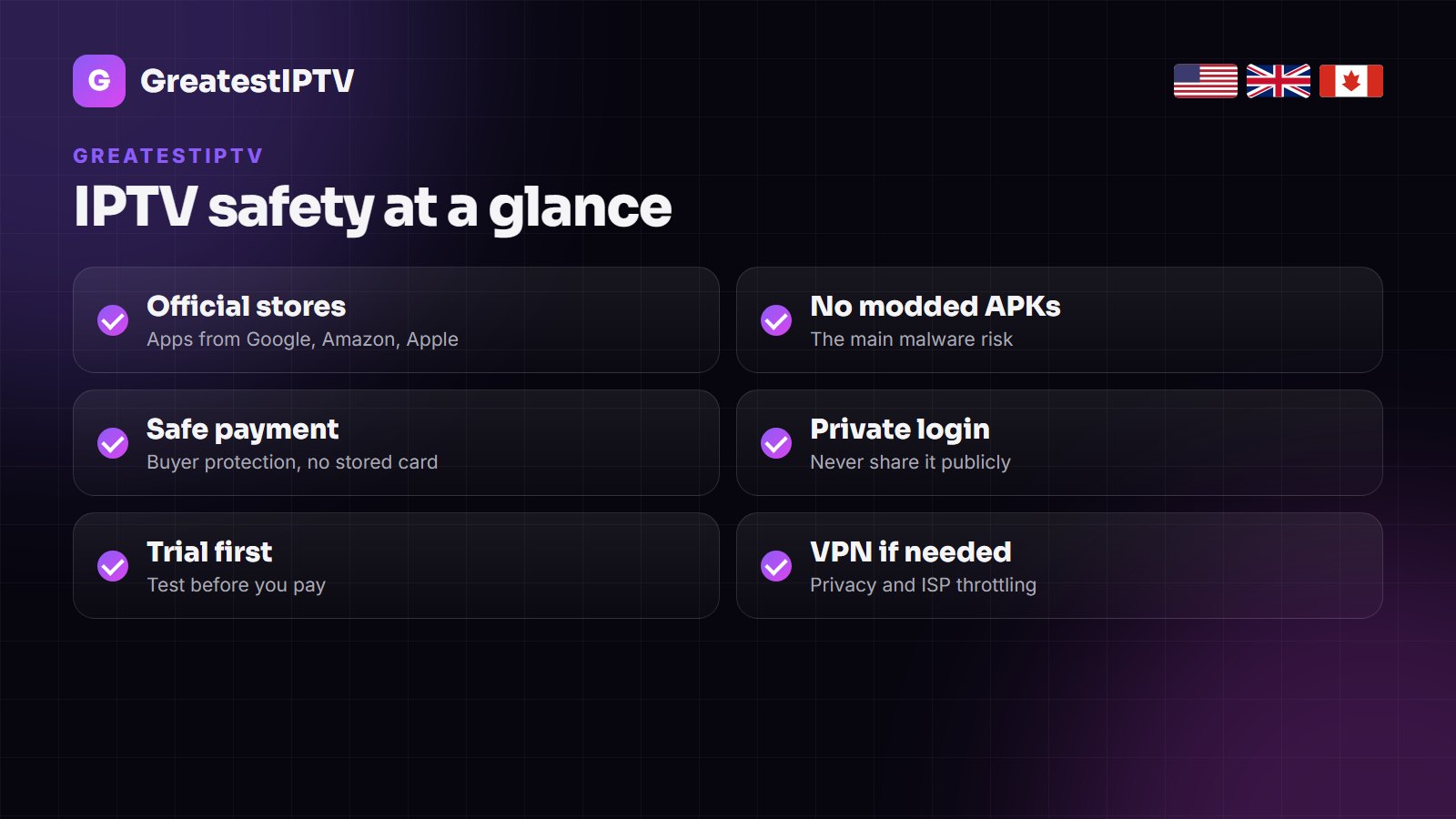
- Install from official sources: Google Play, the Amazon Appstore, the Apple App Store, the Samsung and LG TV stores, or the developer’s own website.
- On a Firestick, install the Downloader app from the Amazon Appstore and allow unknown sources for Downloader only, not for every app.
- Never install a “premium unlocked” version. TiviMate Premium costs a few dollars a year; a cracked copy can cost you your accounts.
- Keep the device updated and remove apps you no longer use.
Our Firestick setup guide shows the safe way to install a player step by step.
Is IPTV Smarters Pro safe?
The genuine IPTV Smarters Pro app is a normal media player: it contains no channels, it plays the line you log in with, and it is listed on the official stores. It is safe when you install it from those stores or from the developer’s own site. The risk comes from copies named “Smarters” on APK mirrors, and from fake “Smarters” sites that sell subscriptions in the app’s name — the app’s developer does not sell channels. The same goes for TiviMate, IBO Player and XCIPTV. Setup steps are in our IPTV Smarters Pro guide.
Risk 2: payments
- Avoid sites that store your card for automatic renewal you did not ask for. A one-time payment for a fixed period is the safer model.
- Prefer a payment method with buyer protection where you can.
- Be careful with gift cards and “pay first, trial later”: once paid, there is no way to dispute them.
- Check the price makes sense. A “lifetime” plan for $20 is not a plan; it is a sign the provider does not expect to be around.
At GreatestIPTV every plan is a single payment, nothing renews on its own, and every new plan has a 7-day money-back guarantee. The prices are public on the pricing page.
Risk 3: providers that disappear
A provider that is gone in three months is not dangerous to your device, but it is the most common way people lose money on IPTV. The warning signs are easy to spot:
| Warning sign | Why it matters | What a solid provider does |
|---|---|---|
| No trial at all | You pay before you can see the picture | Offers a free trial on your own device |
| No reachable support | Nobody to fix it when it breaks | Answers on WhatsApp or chat, day and night |
| Prices far below the market | Overloaded servers, short lifespan | Charges a realistic price, explains what you get |
| Pressure to pay a year now | Locks you in before you test | Lets you start with one month |
| No refund window | No recourse if it does not work | Gives a money-back period on new plans |
A free 24-hour trial answers most of these questions at once: you see the channels, the picture at peak time and how fast support replies.
Risk 4: privacy and your login
- Your login is your line. Do not post it in groups or share it widely; besides the obvious, extra viewers use your connections and can lock the line.
- Your provider sees your IP address when you connect, like any streaming service. A trustworthy one keeps only what it needs to run the line.
- Your internet provider can see that you stream video and roughly how much, though not which channel. A VPN hides that traffic from it.
- Use a unique password for any account you create with a provider, and never reuse your email password.
Do you need a VPN for IPTV?
You do not need a VPN for IPTV to work. A VPN is useful in three situations:
- Privacy: it encrypts the traffic between your device and the VPN server, so your internet provider sees an encrypted connection rather than video streams.
- Throttling: some internet providers slow video traffic in the evening. If IPTV buffers only at peak times and a speed test looks fine, a VPN often fixes it.
- Public Wi-Fi: hotels and cafés are open networks; a VPN protects everything you do on them.
Choose a paid, well-known VPN with servers near you, and turn it on in the VPN’s own app on the stick or TV. Free VPNs are often slow and sell data, which defeats the point. A VPN does not change the legal position of what you watch and adds a little delay, so if everything already works, you can leave it off.
Keeping IPTV safe for children
A full IPTV line carries everything, including adult channels on providers that offer them. Two settings keep a family TV safe:
- Parental control PIN: IPTV Smarters Pro and TiviMate both let you lock categories or channels behind a PIN. Lock the adult and late-night groups, and any channel you do not want children to open.
- Hide groups: hiding a group removes it from the list completely; children cannot browse what they cannot see.
- Ask for a family line: at GreatestIPTV adult channels are optional; tell support when you order and they are left off your line.
VPN on the stick or on the router?
A VPN app on the Fire TV Stick or Android TV is the simplest choice and protects only that device. A VPN set up on the router protects every device in the home, including Smart TVs that cannot run a VPN app, but it slows everything a little and is harder to switch off for a single device. For most homes, the app on the streaming device is enough.
Is IPTV legal?
IPTV as a technology is legal; it is how many official TV services are delivered. Whether a particular service is licensed to carry the channels it offers is a separate question, and the rules and how they are enforced differ between the USA, the UK, Canada and other countries. This guide is about safety, not legal advice: check the rules that apply where you live and make your own decision.
What to do if something goes wrong
- You installed an app from a dubious site: uninstall it, restart the device, change the passwords of accounts you used on it, and reinstall the player from an official store.
- Your login leaked: message your provider and ask for a new password; the old one stops working at once.
- You paid and no login arrived: contact the provider with your payment reference; if there is no reply within a day, use your payment method’s dispute process.
- The service stopped working for good: ask for the refund under the provider’s guarantee period, and choose the next one with a trial first.
The ten-point IPTV safety checklist
- Install the player from an official store or the developer’s site.
- Allow unknown sources only for Downloader, and only while installing.
- Never use cracked or “premium unlocked” apps.
- Test with a free trial before paying.
- Pay once for a fixed period; avoid stored cards and surprise renewals.
- Prefer a payment method with buyer protection.
- Check that support answers before you buy.
- Keep your login private and change it if it leaks.
- Keep your stick or TV software up to date.
- Use a reputable VPN if you want privacy or your ISP throttles video.
How GreatestIPTV handles it
We do not make an app, so we never ask you to install one from us: GreatestIPTV works in the official players listed in our best IPTV app guide. You can test the full line free for 24 hours, every plan is a one-time payment with no automatic renewal, every new plan has a 7-day money-back guarantee, and support answers on WhatsApp around the clock. The line carries 75,000+ live channels and 260,000+ movies and series for the USA, the UK and Canada; read our GreatestIPTV review for the full picture.
Other IPTV services to compare
Each of these services also offers a trial, so you can run the same safety checks on them:
- Televixy IPTV — 90,000 live channels and 280,000 movies and series for the UK, USA and Canada, with a 24-hour trial.
- IPTVMeezzy — 75,000+ live channels and 260,000+ movies and series, plans from $15 and a free trial.
- DrogonTV — 80,000+ channels with PPV for the UK, USA and Canada, paid once with no auto-renewal.
- Nartiel8K IPTV — 80,000+ channels in 4K and 8K, strong on Sky Sports, ESPN and TSN, with a 24-hour trial.
- TrendyScreen IPTV — 80,000+ live channels and 240,000 movies and series in 4K and FHD, plans from $15.
Frequently asked questions
Is IPTV safe to use?
Yes, when you install players from official stores, pay with a safe one-time method, keep your login private and choose a provider you have tested with a trial. The technology itself is ordinary internet streaming.
Is IPTV Smarters Pro safe?
The genuine app from the official stores or the developer’s site is safe; it is a player with no channels of its own. Avoid copies from APK sites and sites that sell subscriptions in its name.
Can IPTV give my device a virus?
The stream cannot. A modified app from an APK site can. Install players only from official sources and never use cracked versions.
Do I need a VPN for IPTV?
No, but it helps with privacy, with internet providers that slow video in the evening, and on public Wi-Fi. Use a paid, reputable VPN.
How do I know if an IPTV provider is safe?
It offers a free trial, answers support messages before you pay, charges a realistic price, takes one-time payments and gives a refund window on new plans.
Is IPTV legal?
The technology is legal. Whether a given service is licensed for its channels, and how the rules apply, differs by country, so check the rules where you live.
Test GreatestIPTV safely, free for 24 hours
Official players, a one-time payment, no automatic renewal and a 7-day money-back guarantee on every new plan. Start the free trial or see the plans.