Last updated: October 2026 · Written by the GreatestIPTV team · covers sticks, Android and Google TV boxes, Apple TV and Smart TVs for the USA, UK and Canada.
The short answer
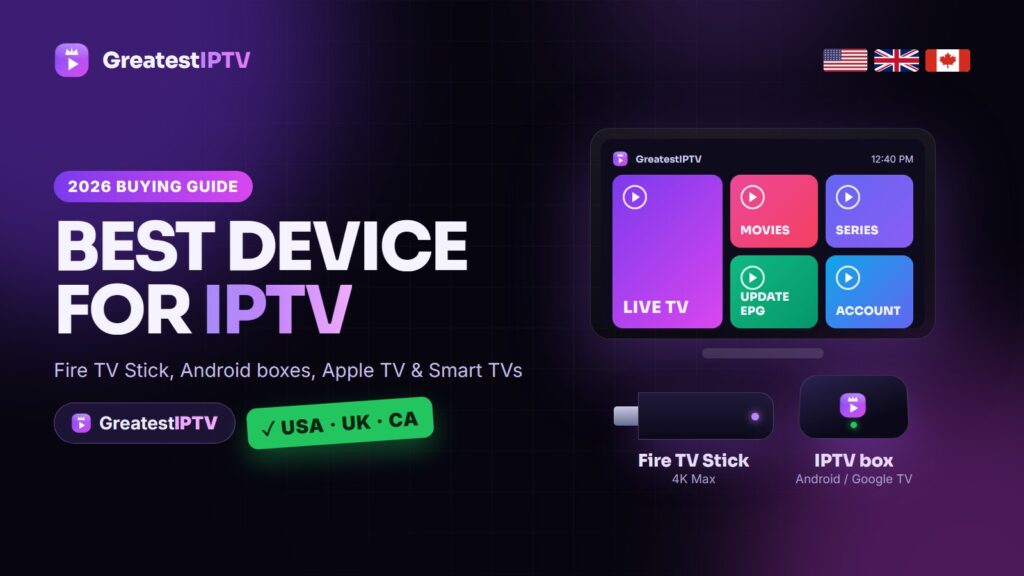
The best streaming device for IPTV for most people in 2026 is the Amazon Fire TV Stick 4K Max. It costs about $60, it is quick enough for a 75,000-channel playlist with a full TV guide, and it runs every major player app, including TiviMate and IPTV Smarters Pro. If you can run a cable to your router, a box with a built-in Ethernet port is even better: the Google TV Streamer (about $100) is the best-value wired option, and the Nvidia Shield TV Pro (about $200) is still the most powerful. In the US, Walmart’s Onn 4K Pro is the best budget box at about $50.
Skip devices that cannot install third-party apps, such as Roku players and Amazon’s newer Vega OS sticks, and skip the unbranded “8K Android” boxes sold on marketplaces.
How we picked these devices
Most “best device” lists are written for Netflix. We judged each device on what decides whether live TV feels smooth: how fast it loads a big playlist and 7-day guide, how quickly it changes channel, whether it holds 4K on a busy Sunday, and whether it installs the player you want. When a customer in Texas, Manchester or Toronto reports freezing, the device is usually the cause, not the line: an old 1 GB stick, an outdated TV app or a box on weak Wi-Fi.
What makes a good IPTV device
An IPTV player has a harder job than Netflix: it downloads a playlist of tens of thousands of channels, reads a TV guide for all of them and keeps switching between live streams in different formats. Six things matter:
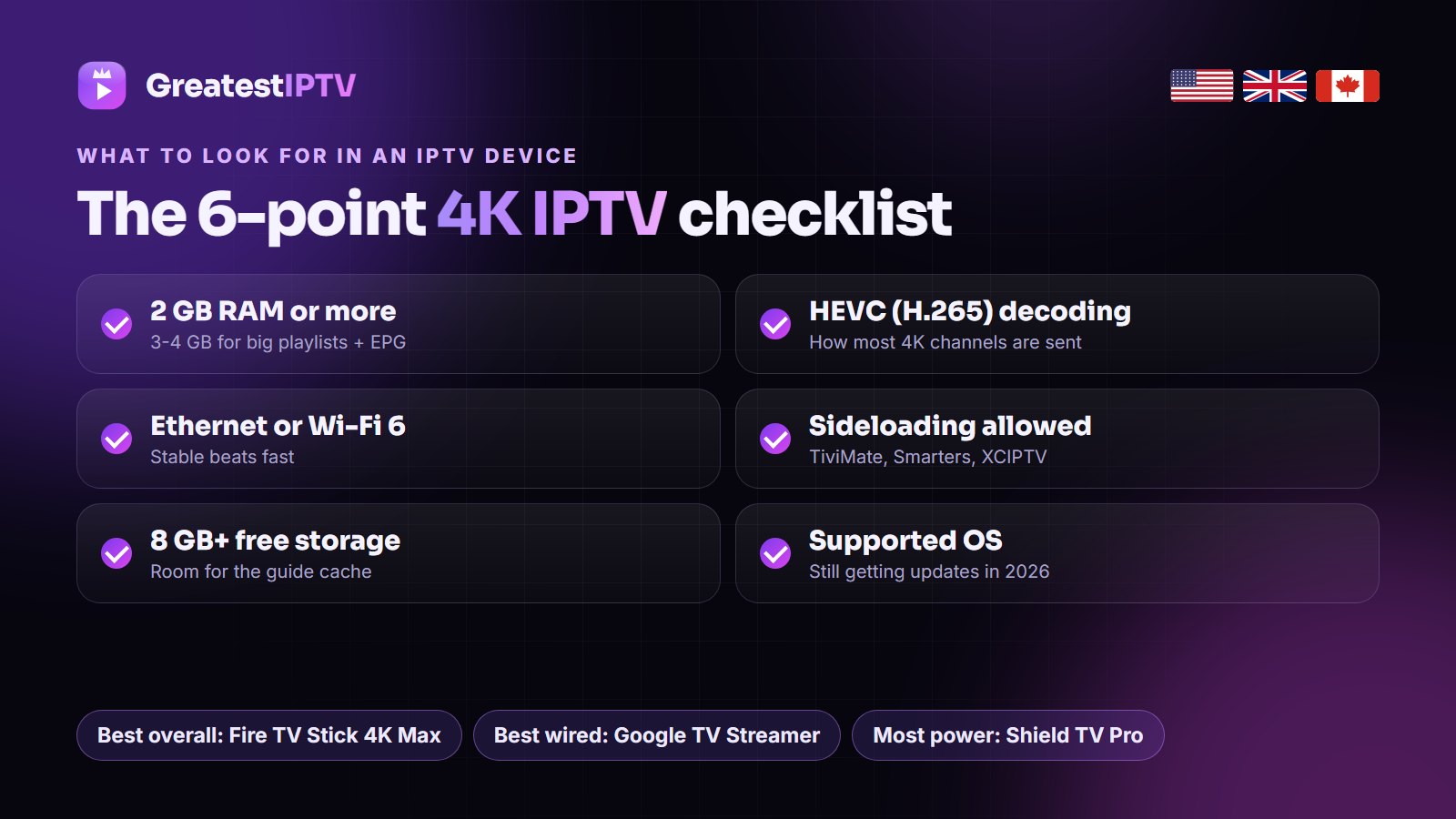
- Memory (RAM). 2 GB is the minimum for a big playlist; 3-4 GB keeps TiviMate quick with the full guide loaded. Most “laggy IPTV” complaints on old sticks come from 1 GB of memory, not the service.
- HEVC (H.265) hardware decoding. Most 4K channels are sent in HEVC because it needs about half the bandwidth of H.264. Without hardware decoding you get stutter or a black screen. AV1 is a bonus, not a requirement yet.
- Ethernet or Wi-Fi 6. Stable beats fast. GreatestIPTV needs about 15 Mbps for HD, 25 Mbps for Full HD and 35 Mbps or more for 4K, and a cable holds that steadily where Wi-Fi dips.
- Freedom to install apps. The best players are not in every store. Android TV, Google TV and Fire OS allow sideloading; Roku does not.
- Storage. 8 GB works, but 16 GB or more saves you from clearing the guide cache every few weeks.
- A supported operating system. Boxes stuck on Android 7 or 9 lose player updates first.
The 8 best streaming devices for IPTV in 2026
Prices are approximate October 2026 list prices; UK and Canadian prices sit in the same bracket in local currency.
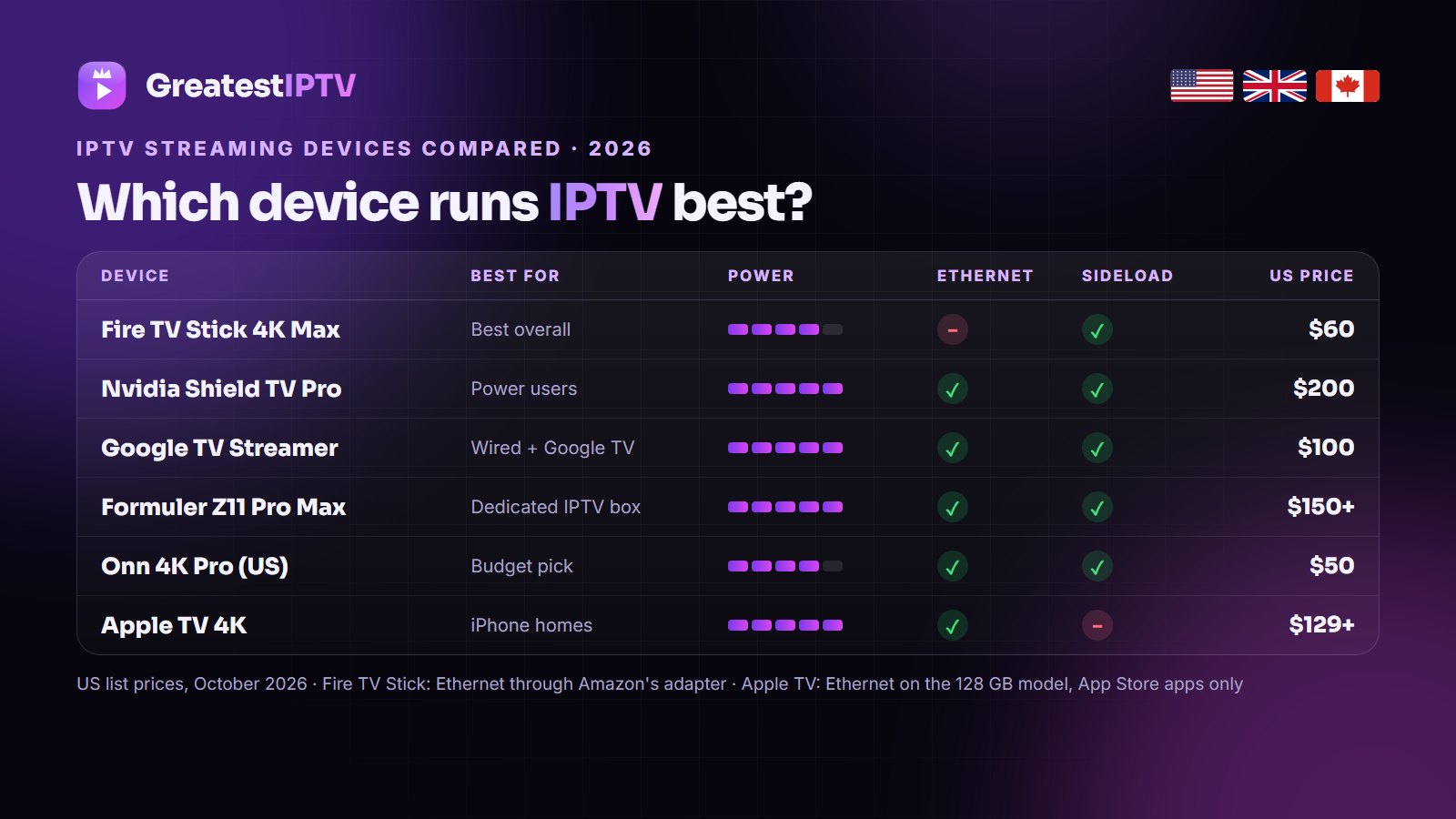
| Device | Best for | RAM / storage | Ethernet | Any player app | Approx. price |
|---|---|---|---|---|---|
| Fire TV Stick 4K Max (2nd Gen) | Most people | 2 GB / 16 GB | Adapter | Yes | $60 |
| Google TV Streamer | Best wired value | 4 GB / 32 GB | Built in | Yes | $100 |
| Nvidia Shield TV Pro | Most power | 3 GB / 16 GB | Gigabit | Yes | $200 |
| Onn 4K Pro | US budget | 3 GB / 32 GB | Built in | Yes | $50 |
| Xiaomi TV Box S (2nd Gen) | UK budget | 2 GB / 8 GB | No | Yes | £60 |
| Fire TV Cube (3rd Gen) | Fire TV, wired | 2 GB / 16 GB | Built in | Yes | $140 |
| Formuler Z11 Pro Max | Dedicated IPTV box | 4 GB / 32 GB | Gigabit | Yes | $150-$180 |
| Apple TV 4K | iPhone households | 64 / 128 GB | 128 GB model | App Store only | $129-$149 |
1. Amazon Fire TV Stick 4K Max (2nd Gen) — best overall
The device we recommend most, and the one most GreatestIPTV customers already own. It has 2 GB of memory, 16 GB of storage, Wi-Fi 6E and HEVC and AV1 decoding, so 4K sport plays cleanly on decent Wi-Fi, and Fire OS installs TiviMate, Smarters or XCIPTV through the Downloader app in minutes. Its one weakness is the missing Ethernet port; Amazon’s adapter (about $15) fixes that. Our Firestick installation guide walks through the setup.
2. Google TV Streamer — best wired value
Google’s Chromecast replacement is a small box, and that matters for IPTV: 4 GB of memory, 32 GB of storage and a built-in Ethernet port. Big playlists load fast, the guide scrolls smoothly, and the cable removes the most common cause of buffering in one step. It runs Google TV, so sideloading a player is allowed. If you would rather plug in a cable than fight Wi-Fi, buy this.
3. Nvidia Shield TV Pro — the most powerful
Launched in 2019 and still the enthusiasts’ choice. Its Tegra X1+ chip, 3 GB of memory, gigabit Ethernet and two USB 3.0 ports mean nothing in IPTV slows it down, and AI upscaling makes HD channels look sharper on a 4K TV. No AV1 and a $200 price make it overkill for a bedroom, but for a living-room TV with hours of live sport it is the smoothest IPTV box you can buy.
4. Onn 4K Pro — best budget box in the USA
The surprise of the list: for about $50 you get 3 GB of memory, 32 GB of storage, Wi-Fi 6, an Ethernet port and Google TV, specs that beat devices costing twice as much, and it installs TiviMate like any Google TV device. It is sold by Walmart in the US; UK and Canadian buyers should look at the next pick or the Google TV Streamer.
5. Xiaomi TV Box S (2nd Gen) — best budget pick in the UK
The UK budget favourite: Google TV, 4K with Dolby Vision and HDR10+, and full sideloading for around £60. With 2 GB of memory, 8 GB of storage and no Ethernet port it is a step below the Onn and the Streamer, but kept near the router on 5 GHz Wi-Fi it handles Sky Sports and TNT Sports in Full HD without trouble.
6. Fire TV Cube (3rd Gen) — best Fire TV device with Ethernet
If you like Fire TV but want a cable, this is the answer: a faster processor than the sticks, 16 GB of storage, built-in Ethernet, Wi-Fi 6E and hands-free Alexa. Players install exactly as on the Firestick. At about $140 it costs more than the Google TV Streamer, so pick it mainly if your home already runs on Fire TV.
7. Formuler Z11 Pro Max — best dedicated IPTV box
Formuler builds boxes for IPTV only. The Z11 Pro Max ships with its MyTVOnline 3 player, with catch-up, USB recording and a guide built around live TV, plus 4 GB of memory, 32 GB of storage and gigabit Ethernet. It also runs normal Android TV apps such as TiviMate. It costs more than a Google TV box with similar specs, so it suits viewers who watch mostly live channels.
8. Apple TV 4K — best for iPhone households
The fastest streamer here, with the best picture processing, but it only runs App Store apps. Good players exist there, such as iPlayTV, UHF and IPTVX, but not TiviMate. Choose the 128 GB model for the Ethernet port. For a home built on iPhones and AirPlay it is excellent; otherwise a Google TV box gives more choice for less money.
Fire Stick vs IPTV box vs Smart TV app
There are three ways to get IPTV onto a television:
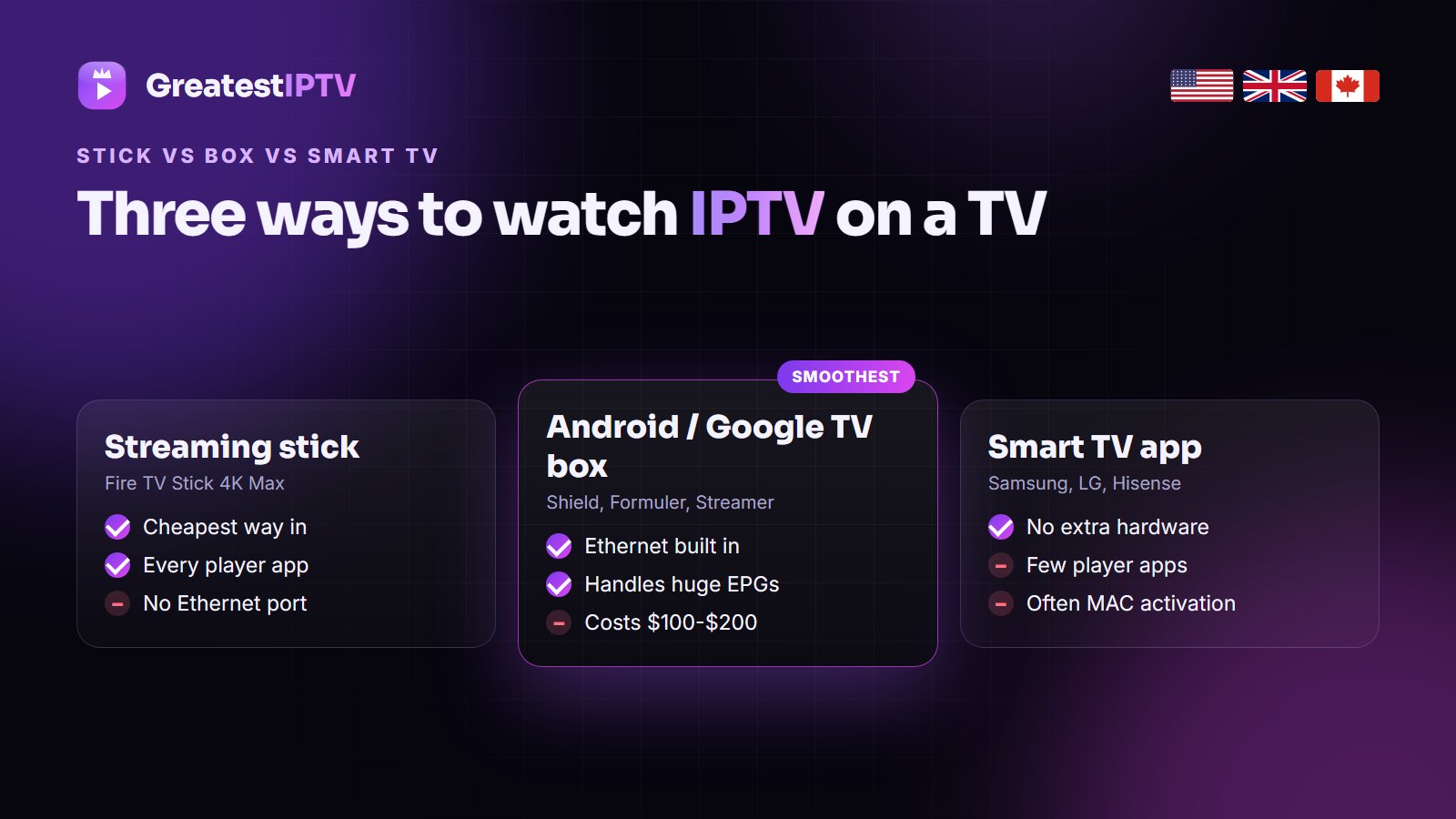
- A streaming stick such as the Fire TV Stick 4K Max is the cheapest way in. It plugs into HDMI, runs every major player and travels well, but has no cable option without an adapter.
- An Android or Google TV box such as the Shield, Formuler or Google TV Streamer costs more but adds memory, cooling and Ethernet. It is the smoothest choice for a main TV and for lots of 4K.
- A Smart TV app needs no extra hardware, but Samsung and LG stores carry few IPTV players, apps like IBO Player often need MAC activation, and TV processors are slower than a $50 stick. Our guides for Samsung, LG and Hisense cover what works on each.
Do you need a box for IPTV?
No. IPTV works on anything that runs a player app: a Smart TV, a phone, a tablet or a laptop. If your TV already has a working IPTV app, test it first with the GreatestIPTV free trial before buying anything.
Still, a separate device is the biggest upgrade most viewers can make: TV apps update less often, load big playlists slowly and sometimes vanish from the store. A $50-$60 stick fixes all three.
Devices to think twice about
- Roku. The most common streamer in American homes, but it blocks apps from outside its store and IPTV players come and go there. Our Roku guide covers the workarounds; a $50 Google TV box is the better fix.
- Amazon’s Vega OS sticks. The Fire TV Stick 4K Select (late 2025) runs Vega OS instead of Fire OS, so only Amazon Appstore apps install. The 4K and 4K Max still run Fire OS.
- Unbranded Android boxes. “8K, Android 14, 8 GB RAM” boxes for $30 have weaker chips than advertised, no updates, and some have shipped with malware pre-installed. They cause more “my IPTV keeps freezing” messages than anything else.
- Old 1 GB sticks. The Fire TV Stick Lite and other 1 GB models struggle with a 75,000-channel line and a full guide.
The best IPTV device in the USA, UK and Canada
The hardware is the same everywhere; what is easy to buy differs.
- USA: the Onn 4K Pro is the best value, the Fire TV Stick 4K Max the easy pick, and the Shield TV Pro the home-theater choice. On a Roku TV, add a stick to a spare HDMI port. GreatestIPTV’s 18,000+ US channels, including local ABC, CBS, NBC and FOX, run on all of them; see best IPTV USA.
- United Kingdom: the Fire TV Stick 4K Max is the usual choice, the Xiaomi TV Box S the budget one and the Google TV Streamer the wired one. Many homes still have a MAG box, and GreatestIPTV supports MAG portals too. More in best IPTV UK.
- Canada: the Fire TV Stick 4K Max and Google TV Streamer are easy to find at Best Buy and Amazon.ca, and both handle TSN, Sportsnet, RDS and TVA Sports in 4K or Full HD. See best IPTV Canada.
Setting up GreatestIPTV on your new device
On any of these devices the setup takes about ten minutes:
- Connect and update. Use a cable if you can and install any system update first.
- Install a player. TiviMate or IPTV Smarters Pro; on Fire TV and Google TV, let Downloader install unknown apps first. See our best IPTV app guide.
- Get your login. Order or ask for the free trial on WhatsApp and you receive an Xtream Codes login (server URL, username, password), explained in our Xtream Codes guide.
- Sign in. The first load of channels and the 7-day guide takes a few minutes.
- Tune it. Use the hardware decoder, turn on frame-rate matching and group your favourites. The Smarters setup guide and buffering guide cover the details.
Device walkthroughs, including the Android TV box guide, are on the installation page.
One subscription, several devices
Buying for more than one TV? Match the plan to how many screens watch at once: GreatestIPTV’s 1, 3 and 6 month plans cover one, the 1 Year plan ($80) two, the 2 Years plan ($120) three, and the Lifetime plan ($150, paid once) five, all with the same 75,000+ channels and 260,000+ movies and series. Compare them on the pricing page.
Further reading
- Zoryflix: what internet speed you need for 4K IPTV — if you are choosing between Wi-Fi and Ethernet.
- Televixy: IPTV on iPhone, iPad and Apple TV — the App Store players in more depth.
- DrogonTV: the best IPTV setup for Smart TVs — before you buy any extra device.
Frequently asked questions
What is the best streaming device for IPTV?
For most people, the Amazon Fire TV Stick 4K Max: about $60, 2 GB of memory, Wi-Fi 6E and support for every major IPTV player. With a cable, the Google TV Streamer (about $100) is better value, and the Nvidia Shield TV Pro (about $200) is the most powerful.
Which box is best for IPTV in 2026?
The Nvidia Shield TV Pro is the most powerful, the Google TV Streamer the best value with Ethernet, the Formuler Z11 Pro Max the best IPTV-only box, and in the US the Onn 4K Pro the best budget box at about $50.
Do I need a box for IPTV?
No. IPTV works on Smart TVs, phones, tablets and computers through a player app. A stick or box is still the biggest upgrade most viewers can make, because it runs better players than most TVs.
Is a Firestick good for IPTV?
Yes. The Fire TV Stick 4K and 4K Max run TiviMate, IPTV Smarters Pro and XCIPTV. Avoid older 1 GB models, and make sure the stick runs Fire OS, not Vega OS, which cannot install outside apps.
Can I use IPTV on Roku?
Only in a limited way. Roku blocks apps from outside its store, so you depend on a store player or screen mirroring. Adding a $50 Google TV box or Fire TV Stick to the Roku TV is the better fix.
How much RAM does an IPTV device need?
At least 2 GB for a large playlist with a TV guide, and 3-4 GB for the smoothest experience with apps like TiviMate.
Can I use one GreatestIPTV subscription on several devices?
Yes. Install it on as many devices as you want; the plan sets how many watch at once: one on the 1, 3 and 6 month plans, two on 1 Year, three on 2 Years and five on Lifetime.
Test GreatestIPTV on your device free for 24 hours
Whichever stick or box you choose, try the full channel list, 4K and the TV guide on it before you pay. No card needed, and every paid plan has a 7-day money-back guarantee.